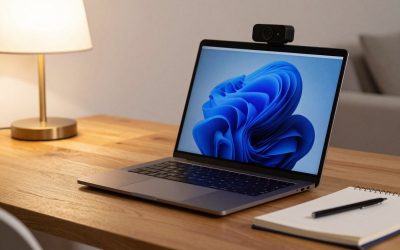
A dedicated webcam almost always outperforms a built-in laptop camera, mainly because of better low-light performance, a wider field of view, and in some models, autofocus that keeps you sharp even if you lean back from the desk. The picks below range from the long-standing standard pick to higher-resolution and budget alternatives. Buying tip: lighting matters more than camera resolution for how you actually look on a call — a cheap 1080p webcam in good lighting will usually look better than an expensive 4K webcam in a dim room.
Logitech C920x
The Logitech C920x has been a go-to recommendation for over a decade and remains one of the most consistently cited “best all-around” webcams for standard video conferencing. It delivers reliable 1080p video at 30fps with autofocus and dual stereo microphones built in, covering the core needs of most remote workers and callers without extra software complexity.
It’s the safe, well-tested pick for anyone who wants dependable video call quality without researching webcam specs in depth. Its feature set is more basic than newer models with AI framing or background effects built into dedicated software.
Logitech Brio 500
The Brio 500 connects via USB-C and is noted for strong out-of-box performance, meaning it looks good on a call without needing manual adjustment of exposure or white balance settings. It includes Logitech’s companion software for additional control over framing and image settings for users who do want to fine-tune their setup.
It’s a good step-up pick for remote workers who are on video calls often enough to justify paying more for noticeably better image quality than the C920x, without jumping all the way to a 4K model. The USB-C connection may require an adapter on older laptops that only have USB-A ports.
Logitech MX Brio 4K
The MX Brio uses a large 8.5-megapixel Sony STARVIS CMOS sensor, which is a meaningfully bigger sensor than most webcams in this category and contributes to sharper detail and better performance in less-than-ideal lighting. It supports up to 4K resolution for buyers whose video platform and bandwidth can take advantage of it.
It’s the right pick for content creators, streamers, or professionals who present on camera often enough that image quality is worth the premium price. Most everyday video calls (Zoom, Teams, Google Meet) don’t require or display full 4K, so the resolution benefit is most noticeable in recorded video rather than live calls.
Anker PowerConf C200
The PowerConf C200 is frequently cited as a strong value pick under $60, offering solid 1080p performance and auto-framing features at a price below most Logitech models. It includes a physical privacy shutter and a simple plug-and-play setup without needing separate software for basic use.
It’s a sensible pick for anyone who wants a noticeable upgrade over a built-in laptop camera without spending at the level of the Brio series. Low-light performance and extra features fall short of the pricier Logitech options above it.
For most people, the Logitech C920x remains the safest, most proven choice for everyday video calls. Anyone on camera frequently enough to care about image quality should consider the Brio 500 as a mid-tier upgrade, with the MX Brio 4K reserved for creators and professionals who need the sharpest possible image. The Anker PowerConf C200 is the best entry point for buyers who want better-than-built-in quality on a tighter budget.



Write Your Review
No reviews yet. Be the first to share your experience!